· 13 min read
Pilot Logbook App Guide: How to Choose the Right One
Learn how to choose the best pilot logbook app. Compare features, compliance requirements, and workflows for PPL and IFR training.

You're sitting across from the examiner, your checkride paperwork is sorted, and then they ask a simple question. Show me the solo cross-country that meets the requirement. You open your pilot logbook app, scroll, filter, scroll again, and the entry you need doesn't clearly show the route, the landings, or your instructor's endorsement. That's the moment a convenient app stops feeling convenient. Your logbook has to prove eligibility quickly, not just store hours.
Table of Contents
- Why Your Logbook Choice Matters More Than You Think
- What FAA Rules Require from a Logbook
- Comparing the Leading Pilot Logbook Apps
- Key Features to Look For in a Logbook App
- How to Verify Your Logbook Is Examiner-Ready
- Building a Reliable Digital Logbook Workflow
- When an Integrated Training Platform Makes Sense
- Making Your Final Choice
Why Your Logbook Choice Matters More Than You Think
A student pilot I debriefed once had every hour needed for the private certificate. The problem wasn't flying. It was proof. His paper logbook used abbreviations only he understood, cross-country entries blurred together, and one endorsement took several minutes to find because it sat pages away from the flight it supported. The examiner eventually reconstructed the record, but the checkride started with avoidable doubt.
That delay matters because a logbook isn't a scrapbook. Under U.S. regulations, it's an official evidence record for certificates, ratings, flight reviews, and recent flight privileges. Examiners review your aeronautical experience to verify that you qualify for what you're seeking, and messy records force them to hunt for basic facts.
Legal Isn't the Same as Ready
Going digital solves arithmetic and legibility, but it introduces different failure points. Can you pull up a signed entry in the FBO with weak Wi-Fi? Does your export print like a document an examiner can read, or like a spreadsheet dump? If your instructor signed something months ago, can you show that signature hasn't been altered since?
A logbook that looks good on your phone but can't produce a clean, complete record on demand hasn't solved your checkride problem. It has only moved it.
Scale adds pressure here. The FAA reported 887,519 active pilots for 2025, up 38,749 pilots, or approximately 4.6%, from the previous year, according to the FAA civil airmen statistics based on official certification records. You're entering a system where formal review is routine, not theoretical.
That changes how you should shop. Don't start with price, colors, or how fast you can tap in a flight. Start with three tests:
- Regulatory completeness: Does every required field exist in a structured form?
- Examiner retrieval: Can a stranger find proof of a requirement in seconds?
- Daily usability: Will you log accurately after a tiring flight?
If an app fails the first two, daily convenience doesn't rescue it.
What FAA Rules Require from a Logbook
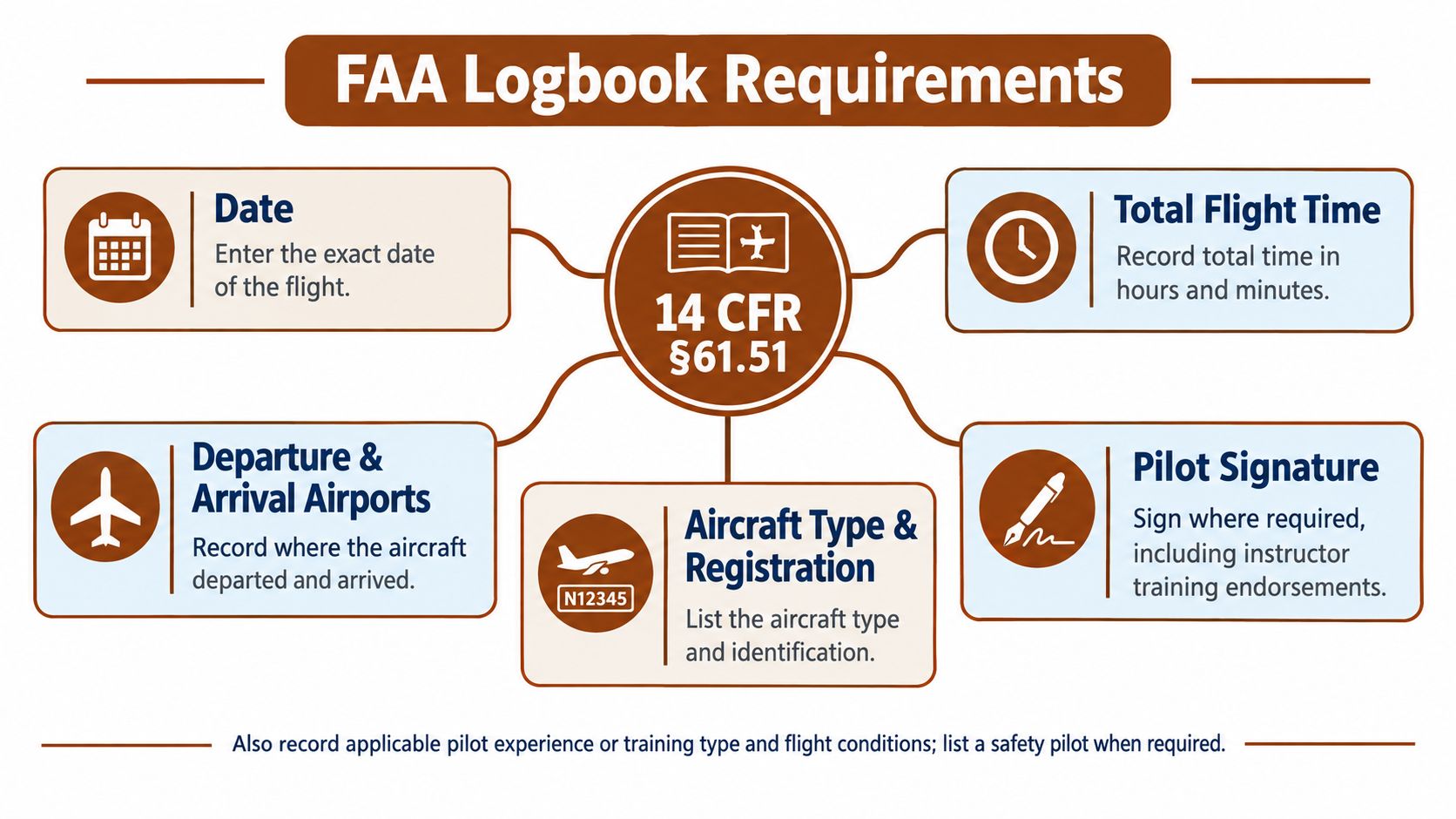
The regulatory baseline is Title 14 CFR §61.51, and it's more specific than most app marketing pages suggest. Logged pilot time may be used to apply for an FAA certificate or rating and to satisfy recent flight experience requirements, as set out in 14 CFR §61.51 on pilot logbooks. That legal role shapes the data your app must preserve.
The Core Fields on Every Entry
Each logged flight or lesson needs the date, total flight or lesson time, departure and arrival locations, and the aircraft or training device type and identification. If an app buries aircraft identification in a free-text note or lets you save an entry without a route, it isn't enforcing the structure the rule assumes.
Classification matters just as much. You need to distinguish solo, pilot in command, second in command, instructor-provided training, and simulator or flight training device time. Conditions also need clear flags, including day or night, actual instrument, simulated instrument, and night-vision-goggle use where applicable.
What This Means for App Design
Here's a practical test. Log one flight as dual received with simulated instrument time, then try to filter for only that combination. If the app can't separate those categories cleanly, its totals won't be trustworthy when you're checking progress toward a rating.
- Structured fields: Dates, airports, aircraft, and time categories shouldn't live in comment boxes.
- Auditable totals: Summaries must trace back to individual entries an examiner can inspect.
- Exportability: A complete record stuck inside the app isn't a complete record.
Treat §61.51 as your acceptance criteria. Convenience features are welcome, but only after the app proves it can preserve dates, aircraft identity, locations, duration, role, training source, and instrument conditions without ambiguity.
Comparing the Leading Pilot Logbook Apps
Most app roundups rank products by feature count. That's the wrong lens. A student pilot, an instrument trainee, and a CFI juggling endorsements need different strengths, and an app that's excellent for airline roster imports may be mediocre at showing a DPE whether solo night requirements are met.
Use criteria tied to risk instead. Requirement tracking prevents unpleasant surprises late in training. Endorsement and signature support determines whether signed training stays credible. Backup integrity decides whether one lost phone becomes a paperwork crisis. Export quality is what the examiner ultimately sees.
How the Common Options Tend to Differ
MyFlightbook appeals to budget conscious students who want straightforward logging without a subscription commitment, though interface polish and guided support are trade-offs. ForeFlight Logbook suits pilots already flying with ForeFlight, since flight data flows from the same ecosystem, but you're buying into that broader suite rather than a standalone logbook. LogTen Pro has a long track record with career pilots on Apple devices, while pilots outside that ecosystem need to weigh platform lock-in carefully.
| Criterion | What to Look For | Why It Matters |
|---|---|---|
| Requirement tracking | Progress views for PPL and IFR categories such as solo, cross-country, night, and instrument | You spot shortfalls while there's still time to schedule flights |
| Endorsements | Instructor signing workflow with visible, retrievable endorsements | Unsigned or buried attestations slow certification |
| Backup integrity | Cloud backup plus local access and version history | Device loss shouldn't erase your training history |
| Export formats | Readable PDF and portable CSV output | Examiners need legible proof, and you need an exit path |
| Examiner readiness | Fast search, filtered totals, printable contingency copy | Retrieval speed shapes examiner confidence |
| Platform coverage | Support for devices you use now and may use later | Changing phones shouldn't force a migration |
Don't ask which app wins in the abstract. Ask which one fails least badly on the criterion you'd regret most. For most students, that's endorsement handling and export, not slick entry screens.
Key Features to Look For in a Logbook App
An examiner's first request is rarely "show me your app." It's "show me your night cross-country time." How fast you reach that answer, and whether the record behind it holds up, depends on features that barely appear in app store copy because they're hard to demo.
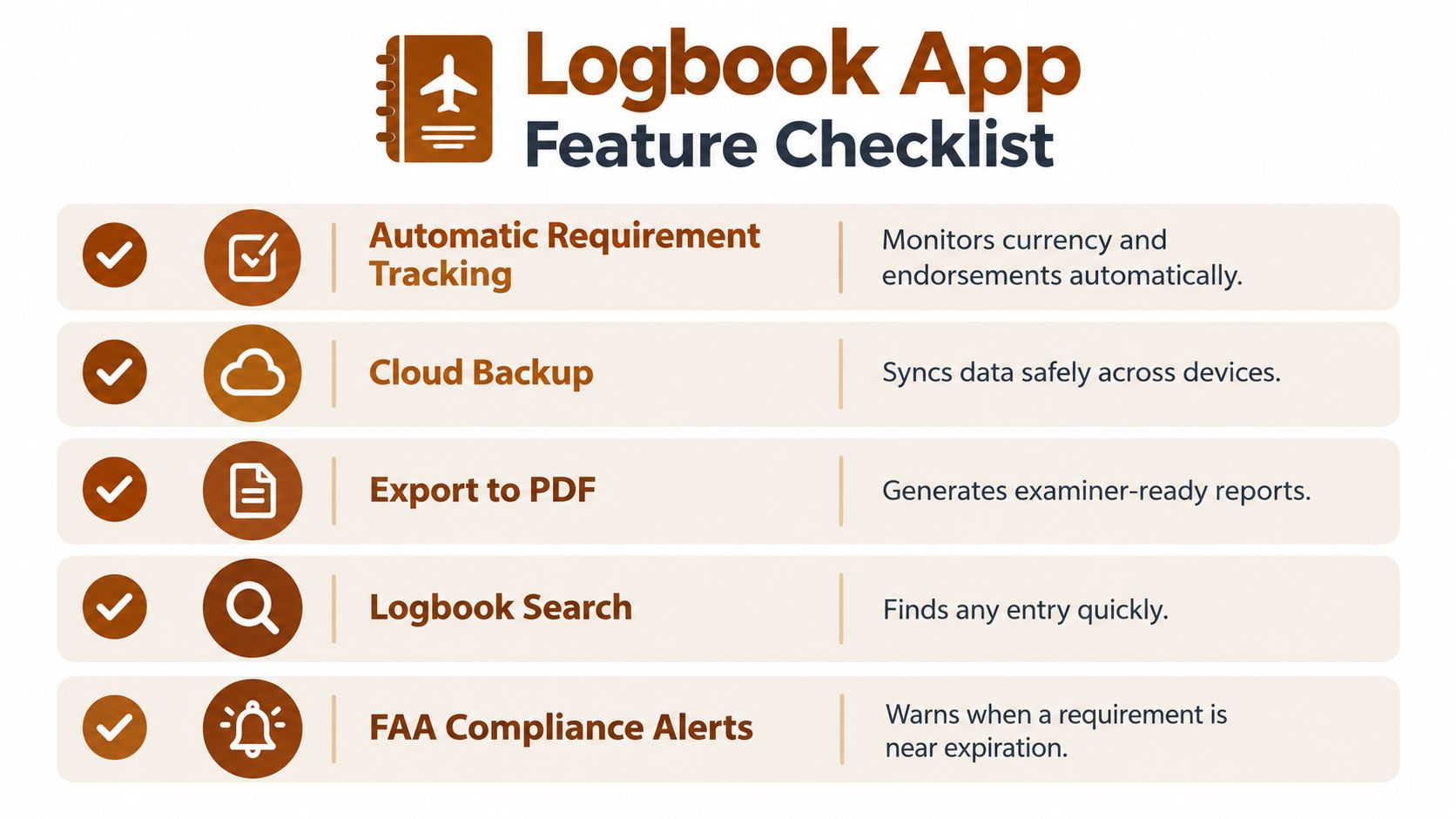
Judge every candidate on five questions, each one a thing an examiner or instructor can ask for without warning.
- Where are the category totals? Progress toward PPL and IFR minimums should be split by night, cross-country, solo, instrument, and dual time. A single big number hides the shortfalls that delay checkrides.
- Who signed this, and how do you prove it hasn't changed? Endorsements need authenticated instructor identity, plus tamper-evident timestamps and version history. FAA guidance in AC 120-78B on electronic signatures and recordkeeping supports building electronic records around exactly these integrity controls.
- What survives a dead phone? Cloud sync is a claim until you've restored from it. Records should also open on the device with no network connection.
- Can you hand over readable paper? PDF for the examiner across the table, CSV so your data never gets locked in.
- Can you find one flight in seconds? Filter by aircraft, airport, date range, and condition, then confirm the filtered totals match the entries shown.
Practical rule: If you can't export a signed entry and explain its history in plain English, don't trust that entry as your only copy.
That last question is where the gap shows between legal to use and safe to rely on. Plenty of apps keep a compliant record. Fewer let you pull up a specific flight, show its correction history, and print it while a designated examiner waits. Run the five questions against any app you're considering, because a compliant record you can't retrieve quickly reads as a shaky one.
How to Verify Your Logbook Is Examiner-Ready
Coverage of digital logbooks often stops at saying electronic records are acceptable. The weak point is practical acceptance, as illustrated in this walkthrough of FAR 61.51 logbook requirements and examiner readiness. A record can be legal to keep and still be risky to rely on when an examiner needs answers fast.
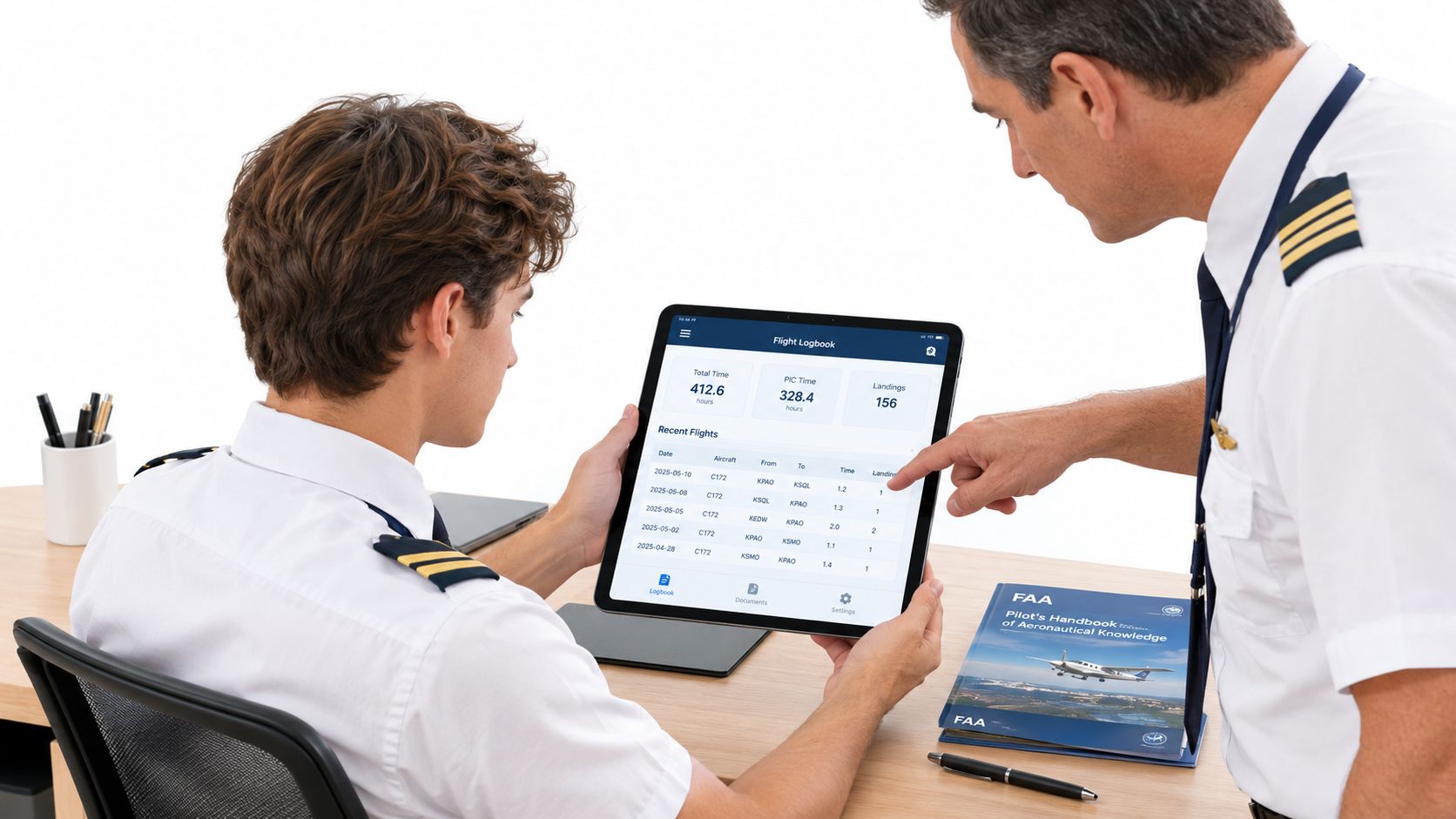
The image below captures the test, an instructor and student reviewing records together before anyone signs anything.
Build a Realistic Test Set
Before committing, create sample entries that mirror training. Include dual received, solo, cross-country, instrument, night, and simulator time, plus an instructor signed record. Then export everything and read the file as if you'd never seen the flights.
Check five things in that export. Are endorsements visible next to the relevant training? Do timestamps and correction history survive? Are signed entries locked or clearly versioned? Can you retrieve the record on the device with connectivity off? Does the printable copy look complete without the app open beside it?
Pair that document review with oral preparation using a structured checkride oral exam guide, since examiners often move directly from logbook entries to questions about what you did on those flights.
The video below is useful for seeing how logbook review fits into broader checkride preparation.
Finally, print a contingency copy and keep it updated. If your account locks or your tablet fails that morning, paper backup turns a crisis into an inconvenience.
Building a Reliable Digital Logbook Workflow
Checkride morning exposes weak habits fast. If an examiner asks for the flight that satisfied a requirement and your answer is three filters, a search box, and a shrug, the app has become a storage bin instead of a record system.
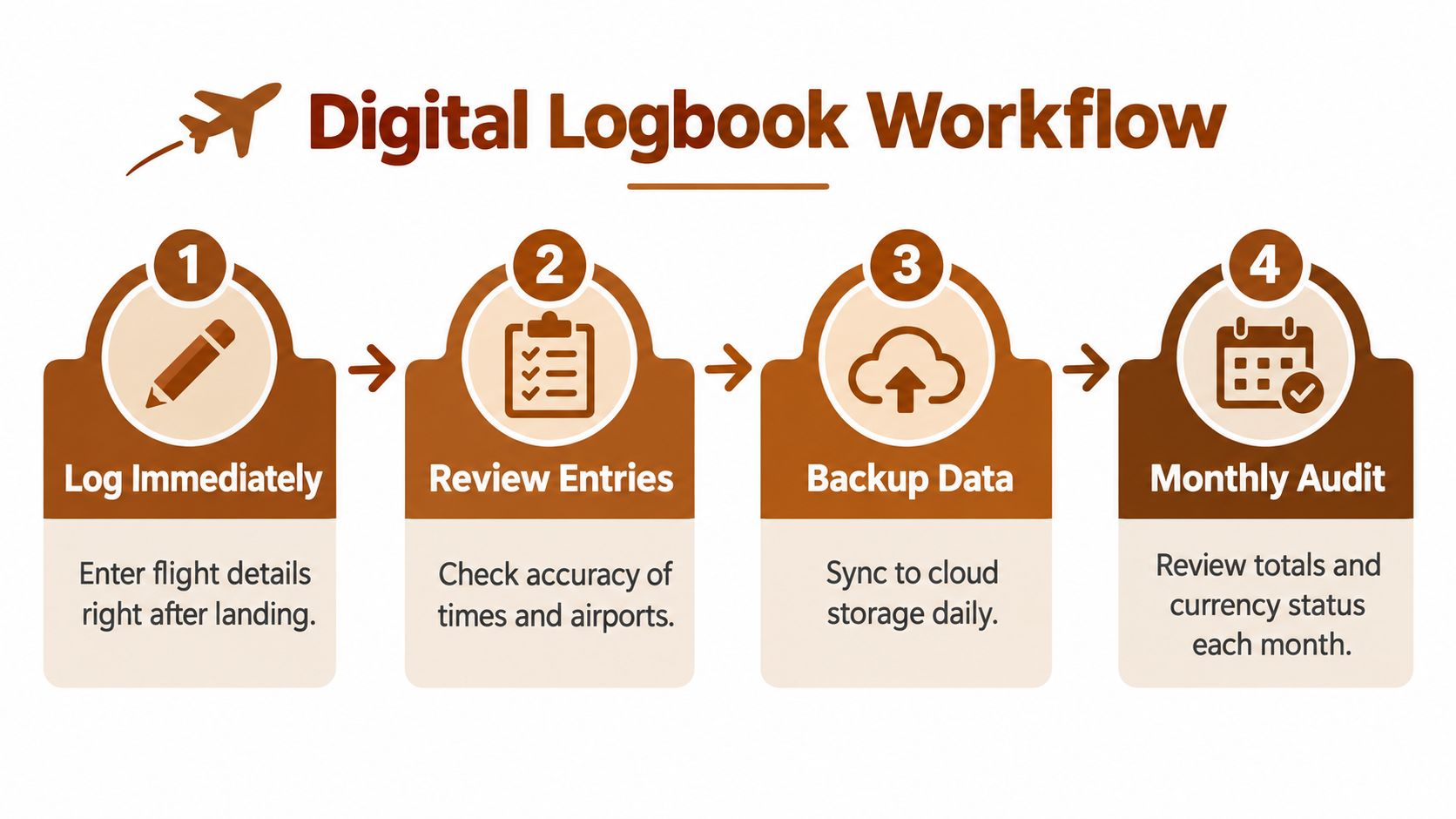
A dependable workflow runs on fixed trigger points.
| Trigger | Action | What it protects |
|---|---|---|
| Engine shutdown | Enter Hobbs, route, landings, conditions, and remarks before leaving the ramp | Accuracy while details are still fresh |
| Sunday evening | Compare totals against the next certificate target, such as the pilot instrument rating requirements if that is your next step | Early warning before a category comes up short |
| Before each stage check | Book CFI signature time instead of hoping to catch your instructor between flights | Endorsements that match the training record |
| First weekend monthly | Open the file you would actually hand over and confirm recent flying appears | A backup that exists outside the login screen |
| After any correction | Edit with a transparent note and keep the original visible | A record that reads honest under questioning |
Corrections deserve special discipline. Deleting and recreating an entry can look like concealment even when the mistake was innocent. Leave the history, annotate the fix, and move on.
A logbook survives a checkride when every hour has a story you can reproduce without the app.
Keep the paper snapshot current after milestones, keep signatures aligned with training events, and let the routine absorb the pressure before the examiner adds to it.
When an Integrated Training Platform Makes Sense
A student sits across from the examiner with an iPad logbook, a ground school subscription that lapsed in March, and a written exam result from a third system. Every piece is legal. The trouble is that three partial records take longer to explain than one consistent story, and fumbling between apps at the table reads as uncertainty about the training itself.
Integration earns its cost when it changes what you do each week. A PPL student balancing flight lessons, ground study, and a written deadline benefits when logged hours and knowledge gaps appear in one view. The flyCowboys PPL study guide works on that pairing, combining a flight logbook with adaptive question practice and radio drills in a single iPhone subscription, with categories tracked against PPL and IFR requirements. Spotting a weak knowledge area next to thin logged experience tells you what to fix before an instructor or examiner finds it for you.
Instrument trainees get a similar payoff when procedure study sits beside actual and simulated instrument time.
The calculus shifts later. A commercial student with settled study habits gains little from bundled quizzes. A CFI or career-track pilot may need deep import tools and authority-facing exports more than another practice question bank.
Before subscribing, ask one question: what happens to your records if you cancel after the written exam? A bundle that exports cleanly, preserves signature and correction history, and still prints a readable logbook is a defensible home for your training. One that holds your hours hostage is a dependency wearing a study guide as a disguise.
Making Your Final Choice
Match the app to your next milestone, not to a generic ranking. A PPL student needs requirement tracking and endorsement support above all. An instrument trainee needs precise separation of actual, simulated, and simulator time. A CFI needs dependable signing workflows and exports that students can carry to any examiner.
Use this short decision process before you subscribe:
- List your top three requirements: Write them down in priority order.
- Test with realistic entries: Include signed dual, solo, night, and instrument examples.
- Export and inspect: Read the PDF cold and open the CSV.
- Verify the audit trail: Confirm corrections and signatures stay traceable.
The right pilot logbook app is the one you'll log in consistently and can defend calmly across the table from an examiner. If an app passes that test, convenience becomes a bonus instead of a gamble.
If you're preparing for a checkride while building your logbook, flyCowboys combines flight logging with requirement tracking, adaptive written exam practice, and AI radio drills in one iPhone app. Visit the site to see how your logged hours and study readiness can sit side by side as you work toward your next certificate or rating.