· 22 min read
Flight Log Book Requirements and How to Log Time
A flight log book guide to required entries, PIC dual XC and hood time, endorsements, and paper versus app records examiners can audit.
The most popular advice about keeping a flight log book is to enter your hours promptly and keep the totals neat. That's useful, but it misses the harder question: what does each entry prove? A tidy total won't help if an examiner can't identify the aircraft, verify the training, or find the endorsement that authorized a student's solo flight.
Treat your logbook as an evidence file and a compliance calendar, not just an hour counter. Record what happened, preserve who certified it, and check the authorizations that must already exist before you fly. The arithmetic matters only after the underlying entries stand up to inspection.
Table of Contents
- What Every Flight Log Book Entry Must Include
- When PIC Dual Cross Country and Hood Time Count
- One Training Flight Written Out Column by Column
- Solo Endorsements the Ninety Day Clock and Retention
- Paper Logbooks Compared with App Based Records
- Cross References That Tie Totals to Each Flight
- Certificate Totals Versus Currency Windows
- Choose a Logbook You Can Defend at a Checkride
What Every Flight Log Book Entry Must Include
A pilot logbook follows your experience. An aircraft logbook follows the aircraft and its maintenance history, regardless of who flies it. That distinction reflects the development of separate pilot and aircraft records described in NASA's history of pilot flight logs.
For U.S. pilots, Title 14 CFR §61.51 requires documentation of training and aeronautical experience used for certificates, ratings, flight reviews, and recent-experience requirements. The practical question isn't whether you bought the right brand of book. It's whether an entry contains the information necessary to support the experience you claim.
Required information on each logged flight or lesson
The sample cells below describe a hypothetical local dual lesson, not a completed record to copy.
| Field | Record this | Sample entry | If it is missing |
|---|---|---|---|
| Date | Calendar date of the flight or lesson | Actual lesson date | Entry cannot be placed in a currency window |
| Total time | Flight or lesson time for that row | Measured lesson duration | Don't carry unsupported time into totals |
| Route or location | Departure and arrival, or device location | KAPA to KAPA | Route and training location cannot be verified |
| Aircraft or device | Type and identification | Cessna Skyhawk, actual registration | Category and class cannot be checked reliably |
| Pilot role | Solo, PIC, SIC, or instruction received, as applicable | Dual received | Role totals are unsupported |
| Conditions | Day or night, actual or simulated instrument, and NVG when applicable | Day, with no instrument time claimed | Night and instrument claims cannot be substantiated |
Complete the fields before writing the narrative
Start with the identifying information, then enter the experience classification and operating conditions. This order makes it harder to produce a descriptive entry with no usable aircraft identification or duration.
A Hobbs-meter change is supporting information, not a complete logbook entry. Without the date, locations, aircraft identification, and applicable experience fields, another reader can't establish what the number represents. Don't assume that a billing record automatically supplies the flight time you're entitled to log.
Remarks should explain the lesson rather than repair missing columns. For a local lesson, write the actual training content, such as slow flight, stall recognition, traffic-pattern procedures, or emergency descent practice. “Training flight” gives an instructor or examiner little to work with.
Make the entry readable without your explanation
Use consistent aircraft names, recognizable airport identifiers, and an unambiguous distinction between aircraft and training devices. If your book doesn't provide a dedicated field, add a clearly labeled entry rather than burying essential information in unrelated notes.
Practical rule: If the entry needs you standing beside it to explain what happened, improve the entry.
The required fields establish the record's identity. Whether the time belongs in PIC, solo, cross-country, or instrument columns requires a separate eligibility decision, not a guess based on which columns remain empty.
When PIC Dual Cross Country and Hood Time Count
Columns describe different aspects of the same experience. They aren't separate buckets of additional flying. The logging framework in §61.51's pilot-logbook provisions distinguishes pilot roles, training, conditions, and device experience, so your book should preserve those distinctions.
When each flight log book time column counts
| Column | Log it when | Do not log it when | Often paired with |
|---|---|---|---|
| Total time | Recording the qualifying flight or lesson duration | Duplicating time because it also appears in another column | Applicable role and condition columns |
| PIC | You meet a specific PIC logging provision | Assuming responsibility alone always creates logging eligibility | Solo, instrument, or training where permitted |
| Dual received | An authorized instructor provides and endorses training | Flying solo or treating an unsigned note as completed training evidence | Cross-country, night, instrument |
| Solo | You're the sole occupant and meet the applicable provisions | Anyone else is aboard | Student PIC and qualifying cross-country |
| Cross-country | The flight meets the definition applicable to the requirement being claimed | Assuming every airport-to-airport flight satisfies every cross-country requirement | Dual, solo, PIC, night |
| Night | The portion falls within the applicable night definition | Counting the whole flight merely because it ended after sunset | PIC, dual, cross-country |
| Simulated instrument or hood | You fly solely by reference to instruments under simulated conditions with required supervision | The view-limiting device is off, or you're only observing | Dual or PIC where eligible |
| Actual instrument | You operate solely by reference to instruments in actual instrument conditions | Merely flying on an instrument clearance in visual conditions | PIC, dual, approaches |
| Approach | You perform an approach that qualifies for the purpose claimed and identify it | Briefing an approach or flying a visual traffic pattern | Instrument experience |
| Simulator or training device | Recording a qualifying session in the identified device | Adding device time to airplane flight time | Instrument training, subject to applicable credit rules |
Acting as PIC isn't the same as logging PIC
A student receiving instruction with the instructor aboard shouldn't copy the lesson duration into PIC merely because the student operated the controls. Student PIC logging has its own conditions. A certificated pilot who is appropriately rated may have a different logging basis while receiving instruction.
Likewise, don't treat a safety pilot's logbook as a mirror image of the pilot flying under the hood. Safety-pilot logging depends on the role performed and the applicable rules. The safety pilot doesn't log simulated instrument time for looking outside, but may qualify for another category of time under the circumstances.
For dual instrument training, record the portion conducted under simulated instrument conditions. Taxi, visual maneuvering, and time spent with the hood removed don't become simulated instrument time because the lesson included an instrument approach.
Match the column to the requirement
Cross-country definitions aren't interchangeable across every certificate, rating, and operational purpose. Preserve the route and landing locations so your instructor can determine which requirement a flight satisfies. A software label saying “XC” isn't enough evidence by itself.
Night flight time and passenger-carrying night-landing currency also answer different questions. Keep the actual takeoff and landing details rather than assuming a night-time entry establishes every night privilege.
Finally, check overlapping columns correctly. Daytime hood work can be both day and simulated instrument, so adding those columns together and comparing the sum with total time is misleading. Each applicable subset must fit within the flight, but overlapping subsets don't have to sum to the total.
One Training Flight Written Out Column by Column
A logbook entry is an evidence file, not just an hour total. Each number should trace to a flight, device session, or training event an examiner can read and verify. The worked example below uses hypothetical dates, aircraft identification, and durations. Assume the student and instructor have confirmed that the route, landings, authorizations, and training qualify for the categories shown.
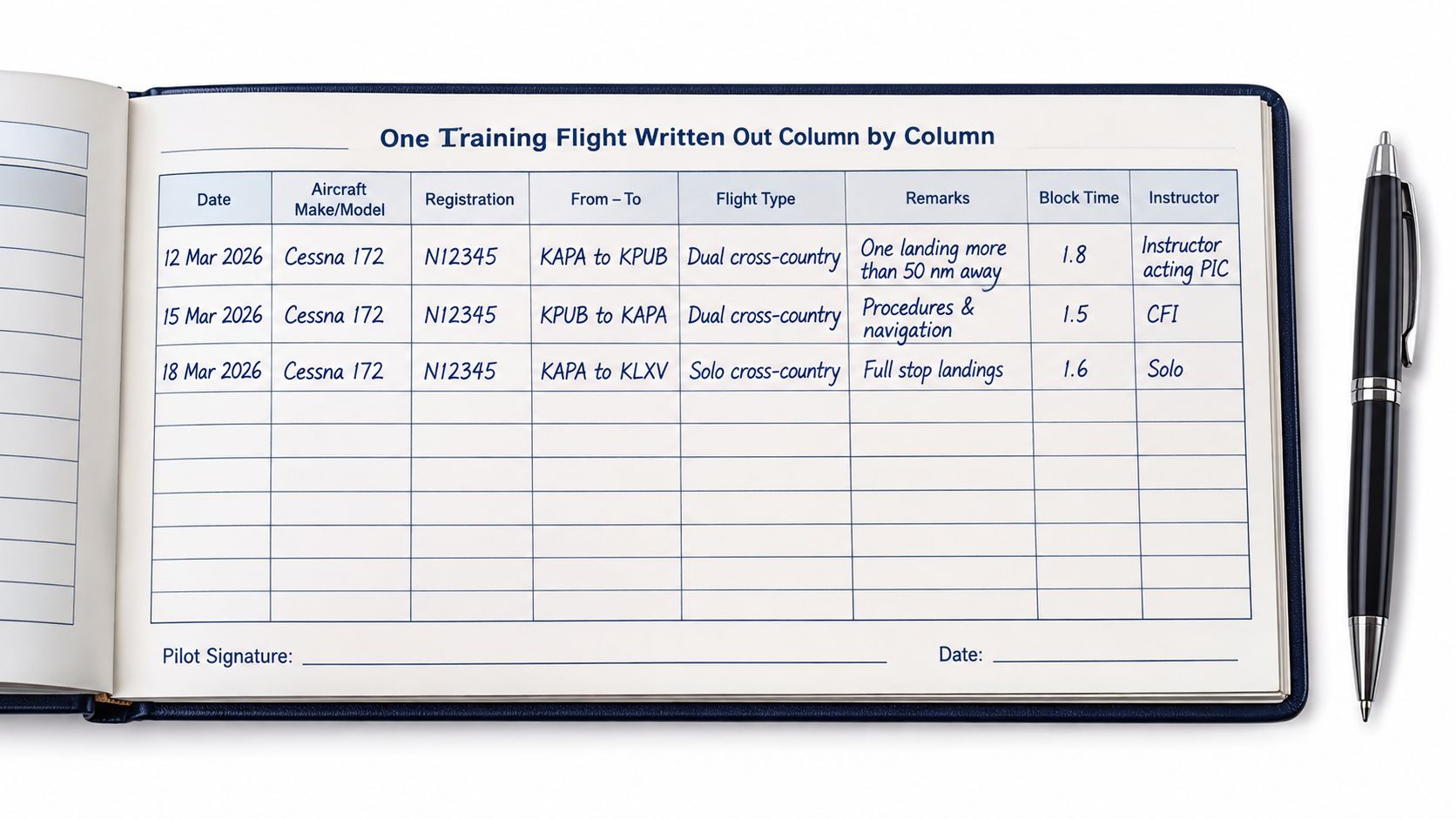
Aircraft lessons and the device session
| Field | Dual cross-country | Solo cross-country | Device lesson |
|---|---|---|---|
| Hypothetical date | 12 Mar 2026 | 19 Mar 2026 | 20 Mar 2026 |
| Aircraft or device | Cessna 172, N12345 | Cessna 172, N12345 | Redbird TD2, device ID TD2-001 |
| Route or location | KAPA to KPUB | KAPA to KPUB | Training facility's actual location |
| Airplane flight time | 1.8 | 1.6 | 0 |
| Dual received in airplane | 1.8 | 0 | 0 |
| PIC | 0 | 1.6 | 0 |
| Solo | 0 | 1.6 | 0 |
| Cross-country | 1.8 | 1.6 | 0 |
| Airplane simulated instrument | 0.4 | 0 | 0 |
| Actual instrument | 0 | 0 | 0 |
| Night | 0.3 | 0 | 0 |
| Day landings | 1 | 1 | Not airplane landings |
| Night landings | 1 | 0 | Not airplane landings |
| Approaches | 1 ILS | 0 | None assumed |
| Device session time | 0 | 0 | 0.8 |
For the dual entry, assume the student has not earned the relevant pilot certificate and the instructor acts as PIC. In the remarks, identify the instructor, describe the cross-country and instrument training, and note the ILS flown under the hood with the instructor providing outside lookout. The instructor completes the training endorsement for the entry.
The night figure covers only the portion that qualifies as night, not the entire flight. The approach column records a procedure performed; the landing columns record landings. Neither is a duration.
For the solo entry, assume the required solo and cross-country authorizations were valid before departure. Remarks identify the applicable endorsements and their issue dates. Record the landings made, as shown in the example. There is no dual received or instructor certification for instruction that did not occur.
Running totals without device contamination
Under these assumptions, the resulting totals are:
| Category | Hypothetical running total |
|---|---|
| Airplane | 3.4 |
| Airplane dual received | 1.8 |
| PIC | 1.6 |
| Solo | 1.6 |
| Cross-country | 3.4 |
| Airplane hood | 0.4 |
| Night | 0.3 |
| Approaches | 1 |
| Device | 0.8 |
Give the device session its own training description and instructor endorsement when it serves as training evidence. Record instrument work in the appropriate device fields, then determine allowable credit separately. Keep the device duration out of the Cessna column.
Use the same column order for later entries. Consistent placement makes a misplaced decimal or an accidental transfer of device time into airplane time easier to catch. A tidy total is useful only when each component can be traced to its source entry.
Solo Endorsements the Ninety Day Clock and Retention
A student's initial solo endorsement is valid for 90 days and must be renewed for continued solo privileges, according to the FAA's student-training guidance, which also describes instructor endorsement responsibilities and retention of endorsement records for at least three years. Those are different obligations: authorization governs the flight, while retention preserves the evidence afterward.
An endorsement isn't a congratulatory note added when convenient. It establishes permission subject to its scope and limitations. A later signature doesn't establish that the required authorization existed before departure.
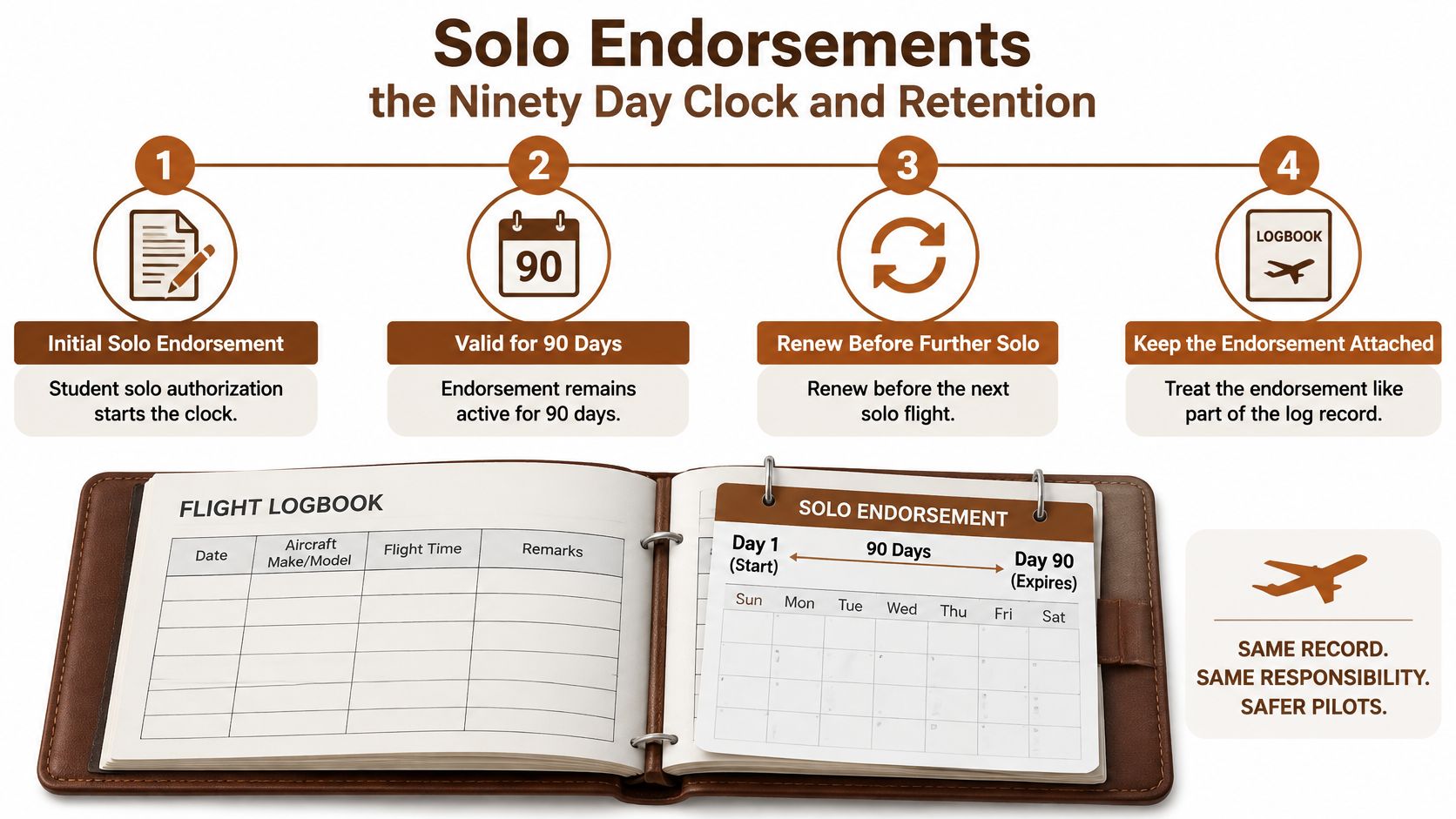
Endorsements and how long their evidence lasts
| Endorsement | Covers | Validity | Evidence to keep |
|---|---|---|---|
| Initial solo | Student solo flight in the authorized aircraft | Limited authorization requiring renewal | Signed logbook endorsement issued before flight |
| Solo cross-country | Applicable aircraft, planning review, conditions, and limitations | Scope and flight authorization stated in the applicable endorsement | Signed authorization and associated limitations |
| Training sign-off | Flight or ground instruction actually given | Historical evidence of the lesson, not continuing solo permission | Training description, instructor signature, and identifying details |
| Any endorsement record | Evidence for later review | Preserve beyond its operational usefulness under applicable retention obligations | Complete signed record, retained with backups |
Check authorization before checking the weather
On the morning of a solo flight, open the actual endorsement rather than relying on memory or an app's green status symbol. Compare the planned aircraft make and model, route where relevant, limitations, and flight date against the authorization.
A different tail number doesn't automatically mean an endorsement is invalid, nor does the same tail number prove it's valid. Read what the instructor authorized. The aircraft scope, operating restrictions, and required planning review matter more than a familiar registration.
Use a calendar reminder early enough to arrange the training and review necessary for renewal. A reminder is useful only if the original issue information was entered correctly.
Preserve the instructor's evidence too
Keep the instructor's name, certificate details, issue date, authorization text, and limitations legible. If an endorsement is attached on a separate page, associate it clearly with your logbook and include it in backups.
Instructor retention responsibilities aren't a recommendation for pilots to discard older endorsements once a minimum period has passed. Your historical authorizations can explain earlier flights long after their operating validity ends.
Before departure: Ask which signed authorization covers this flight, not how many solo hours you've accumulated.
Renewal belongs in your flight-planning routine. Don't discover an expired authorization after the airplane is fueled and the route is loaded.
Paper Logbooks Compared with App Based Records
Paper flight log book versus an electronic logbook
| Job | Paper book | App record | What satisfies a review |
|---|---|---|---|
| Required fields on each flight | Preprinted columns completed legibly | Structured fields rather than notes alone | Complete, identifiable flight or lesson |
| Instructor endorsement | Signed entry or authorization page | Authenticated sign-off associated with the relevant record | Clear signature scope and timing |
| Corrections | Visible strike-through with correction identified | Recoverable edit history without silent overwrite | Original and corrected information distinguishable |
| Totals | Manually calculated | Calculated from underlying fields | Reproducible arithmetic |
| Endorsement expiry | Pilot checks the authorization | Reminder based on entered information | Authorization valid when exercised |
| Checkride presentation | Bound pages available for inspection | Complete readable export or accessible record | Examiner can inspect supporting evidence |
| Loss or damage | Requires separate scans or copies | Requires dependable backup and restoration | Recoverable, readable copy |
Paper works without a battery, login, or network connection. An instructor can review the page directly, and a visible correction leaves the original information apparent. Its weaknesses are manual arithmetic, limited searching, and vulnerability to physical loss if you haven't copied it.
An app can calculate totals and filter experience quickly. That convenience becomes a liability when a pilot assumes synchronization, signatures, and exports all work without testing them.
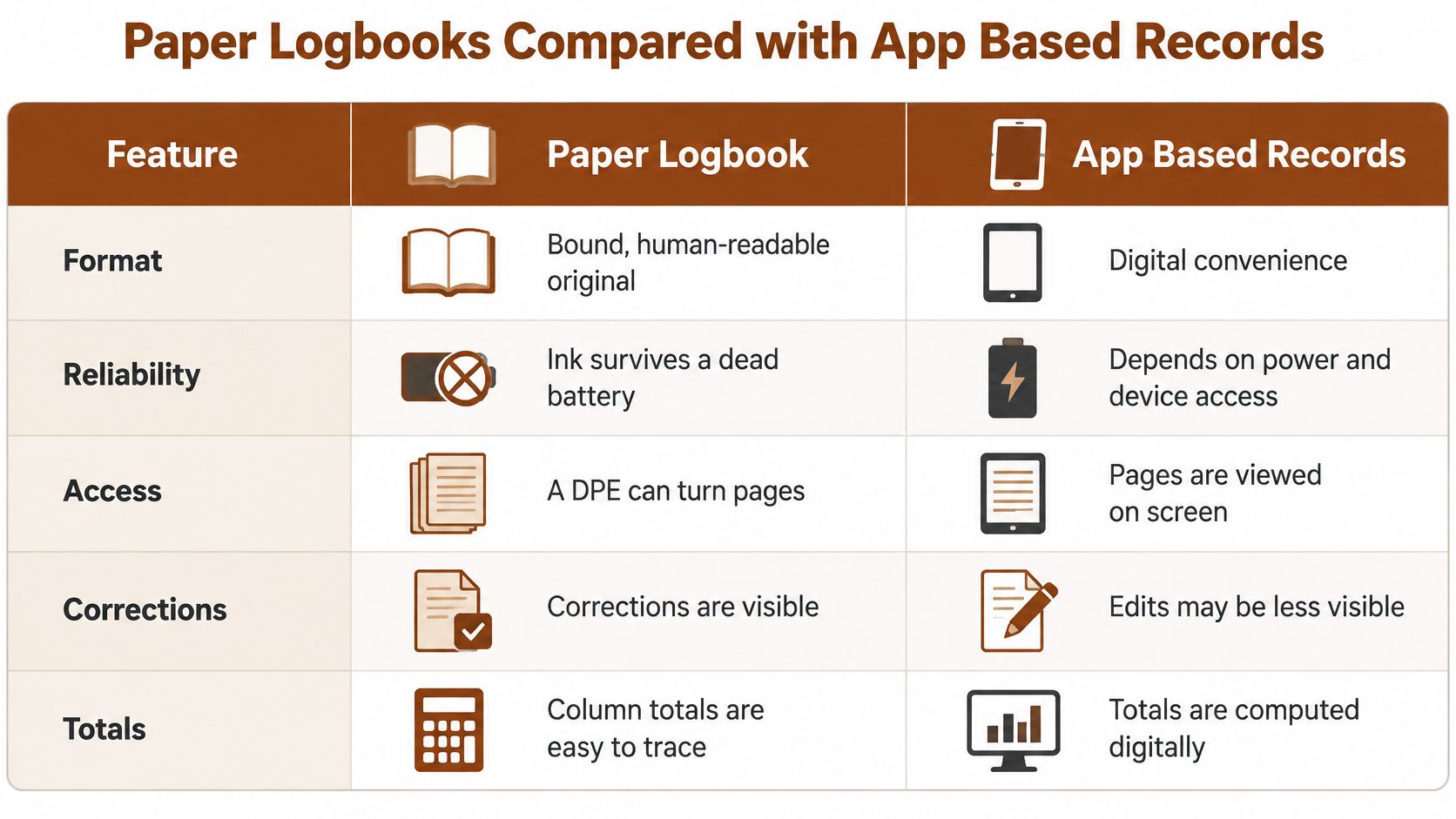
Judge the signature and the export
FAA AC 120-78B describes an acceptable means, not the only means, of using electronic signatures and electronic recordkeeping for regulatory records. Its practical relevance is record integrity, authentication, availability, and reproducibility, not an automatic approval of every logging app.
Check whether an instructor's signature remains associated with the exact version reviewed. If the pilot later changes the training duration or description, the system should preserve the distinction between the original certification and the altered data.
Pilot-entered operational information and instructor-certified training information shouldn't become indistinguishable. A typed instructor name isn't a substitute for an authenticated sign-off.
Choose by operating situation
I would test a complete export before committing an app to primary-record duty. Open it away from the app and check that the remarks, signatures, endorsements, aircraft details, and correction history remain readable.
- For routine capture: Offline entry is useful when it synchronizes without creating duplicate flights.
- For recovery: Test that you can restore or independently read your backup.
- For the practical test: Coordinate presentation with your instructor and examiner, and have a complete readable copy available.
Use the pilot logbook app evaluation guide to compare workflows, but make your decision using an actual exported record. A screen full of attractive totals doesn't demonstrate that the supporting evidence will survive a device failure.
Paper or digital can work. Choose the format you can maintain accurately and reproduce completely.
Cross References That Tie Totals to Each Flight
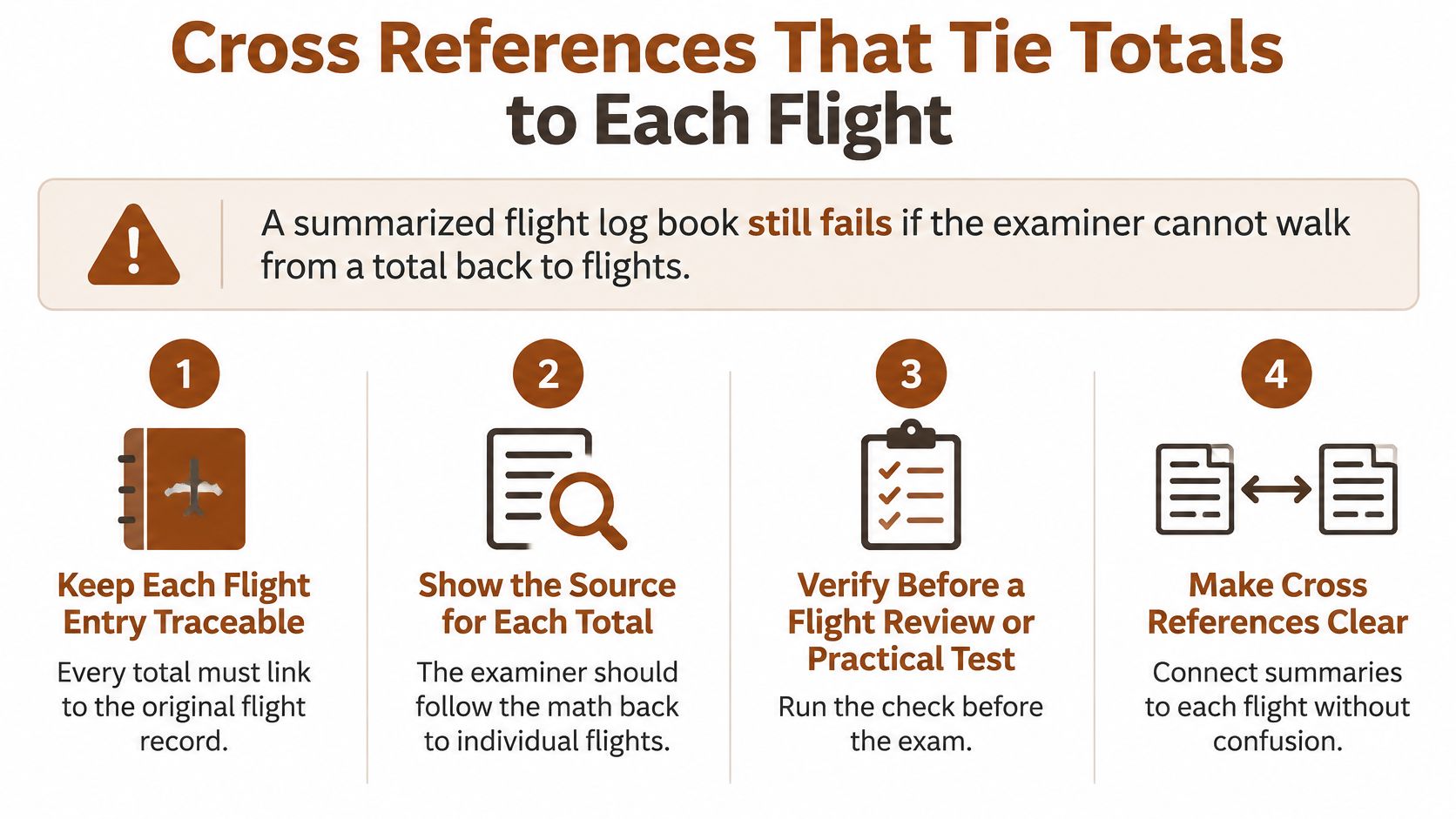
An examiner should be able to start at a claimed requirement, identify the supporting flights, and inspect their details without reconstructing your training from memory. The federal pilot-logbook rule establishes the underlying documentation framework; a useful audit makes that documentation easy to follow.
Assign a stable reference to each record, such as a paper page and line or a persistent digital entry identifier. Use those references in your requirement worksheet so a disputed total leads directly to inspectable evidence.
Run the audit against the original entries
Preserve the original row. Keep its remarks and initial figures. An imported summary that drops the training description may preserve arithmetic while losing the lesson evidence.
Document corrections. Identify the old value, replacement value, correction date, and reason. Erasing an unexplained discrepancy makes later reconciliation harder.
Recalculate from source columns. Don't enter a total because another app displays it. If systems disagree, compare their underlying flights and field mappings.
Match training to certification. Verify that claimed instruction has the relevant instructor endorsement. A calendar appointment with a CFI doesn't prove the training entry was certified.
Connect solo flights to authorization. Check the endorsement applicable on the flight date and within its aircraft and operational scope. A current endorsement doesn't resolve a gap affecting an earlier flight.
Verify aircraft classification. Inspect the aircraft profile rather than trusting a default. An incorrectly configured aircraft can put legitimate experience in the wrong category or class total.
Check durations and counts separately. Confirm that hood and night durations each fit within the flight and that device time hasn't entered airplane totals. Approach counts aren't hours, so inspect the procedures and qualifying circumstances rather than comparing a count numerically with flight duration.
Export the complete history. Include authorization pages and attachments, not just the final totals sheet. Check the exported file for clipped remarks, missing signatures, and unreadable pages.
Investigate weak evidence before scheduling
A missing airport identifier deserves attention when that flight supports a cross-country claim. A requirement supported entirely by a doubtful entry deserves more scrutiny than a comfortable-looking dashboard suggests.
Don't “fix” uncertainty by relabeling the flight to reach a target. Resolve it with the instructor and the underlying evidence, then make a transparent correction if warranted.
The row is the record. The total is a calculated view of the rows.
Certificate Totals Versus Currency Windows
A flight log book answers separate questions: have you acquired the required experience, and are you entitled to exercise a privilege now? Combining both answers into a single progress badge can hide an important distinction.
Certificate and rating experience is generally cumulative. Properly documented training remains part of your experience history, but whether it satisfies a particular application depends on its category, circumstances, and the training pathway you're following.
Currency and authorization require a date-sensitive review. A pilot can have substantial experience and still lack the recent activity, review, or authorization necessary for a planned operation.
Maintain separate views of the same records
| View | Question it answers | Useful supporting information |
|---|---|---|
| Certificate or rating worksheet | Which experience supports this application? | Flight references, classifications, training descriptions, instructor certifications |
| Recent-experience review | Does the relevant activity fall within the applicable period? | Flight dates, qualifying events, conditions, aircraft details |
| Endorsement calendar | Was this particular operation authorized? | Issue date, scope, limitations, renewal status |
| Training readiness notes | What still needs practice or verification? | Instructor feedback, incomplete tasks, unresolved evidence |
Your certificate worksheet should distinguish a flight's logged classification from the credit it receives toward a specific requirement. Device experience, for example, can be recorded accurately without assuming that all of it is creditable toward every training objective.
The school's training framework matters too. Don't merge a course-specific checklist with a different certification pathway and assume the resulting total proves eligibility. Have your instructor identify the applicable requirements, then map the supporting entries to them.
Keep readiness separate from permission
Written-test preparation, practical proficiency, accumulated experience, and operating currency aren't interchangeable. The Private Pilot study guide can support knowledge preparation, but a study-completion indicator doesn't establish a flight authorization or replace the instructor's assessment.
Use your recent-experience view to inspect the actual qualifying events. A night landing entry, for instance, should preserve enough detail to determine whether it supports the particular privilege being reviewed, rather than merely contributing to a general night total.
- For an application: Identify the experience supporting each requirement.
- For a planned flight: Verify the privileges and authorizations needed for that operation.
- For unresolved cases: Bring the specific entry and applicable rule to your CFI instead of relying on a software interpretation.
Exact experience splits, look-back periods, exceptions, and alternatives belong in the current regulations and your instructor's review. The logbook's job is to preserve enough detail to apply them correctly.
At a checkride, you need defensible evidence of eligibility. In day-to-day flying, you also need confidence that the privileges you intend to use are available for the flight you're about to make.
Choose a Logbook You Can Defend at a Checkride
Choose an authoritative system of record this week. That can be a paper flight log book or an electronic system that preserves complete entries, endorsements, and an inspectable correction history.
If you maintain both, name the primary record and treat the other as a controlled copy. Otherwise, a correction made on paper but not in the app can leave you presenting contradictory accounts of the same flight.
Make the decision with a real entry
Take a recent lesson and inspect its complete record. Can your instructor identify the aircraft, understand the training, confirm the classification, and inspect the certification without opening unrelated messages or relying on your recollection?
Then test presentation. Hand over the paper book or open the exported history on a different device. Check that your instructor can follow the record without your normal screen layout, saved filters, or account access.
Use the checkride oral exam preparation guide alongside that review, but don't postpone logbook reconciliation until oral preparation begins. An administrative discrepancy is easier to resolve while the lesson details and supporting records are readily available.
Prefer a repeatable closing routine
After a lesson, complete the entry while the details are fresh and request the instructor's certification before leaving the airport. Before a solo flight, check the required authorization as part of preparation, not as an after-landing administrative task.
A useful routine has clear stopping points:
- Entry complete: Identifying fields, experience, conditions, and training remarks are present.
- Evidence complete: Required instructor certifications and associated authorizations are accessible.
- Copy complete: The backup or export includes the supporting pages, not merely the totals.
We offer a flight logbook with requirement tracking in both flyCowboys plans. Treat it as a candidate for your workflow using the same evidence test you'd apply to any tool, and verify the presentation and preservation features you need before making it your authoritative record.
The app doesn't replace certified flight instruction, official FAA publications, or FAA knowledge and practical tests. You remain responsible for the accuracy of your entries and for producing evidence that another person can inspect.
Choose the system you can defend, then maintain it consistently. A reliable record is more valuable than a polished summary that leaves your instructor searching for proof.
flyCowboys lets you log flights in seconds and track hours against PPL and IFR requirements, including night, cross-country, hood time, and solo. Visit flyCowboys to explore the logbook and requirement tracking, then review your recording workflow with your CFI so each progress total has readable evidence behind it.